 Connexion
Microsoft 365 – GPT 5.5 y ChatGPT Images 2.0 llegan a Microsoft 365 Copilot (II)!
Tras el post sobre la llegada de GPT 5.5 y ChatGPT Images 2.0 a Microsoft 365 Copilot, os dejo el video correspondiente al respecto.

Tras el post sobre la llegada de GPT 5.5 y ChatGPT Images 2.0 a Microsoft 365 Copilot, os dejo el video correspondiente al respecto.
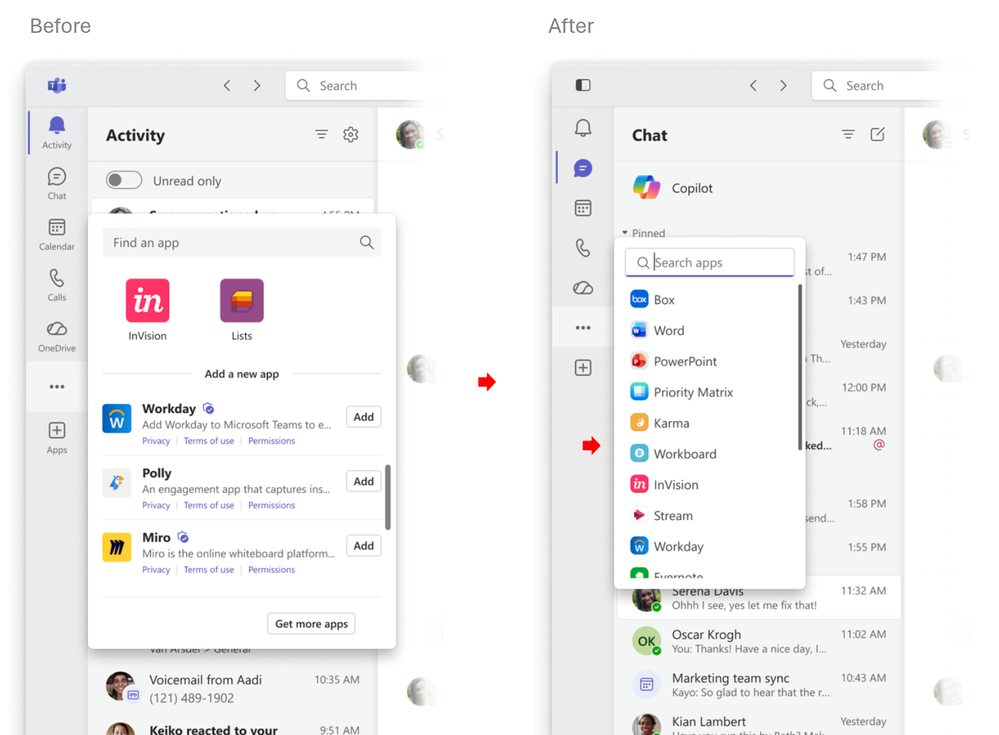
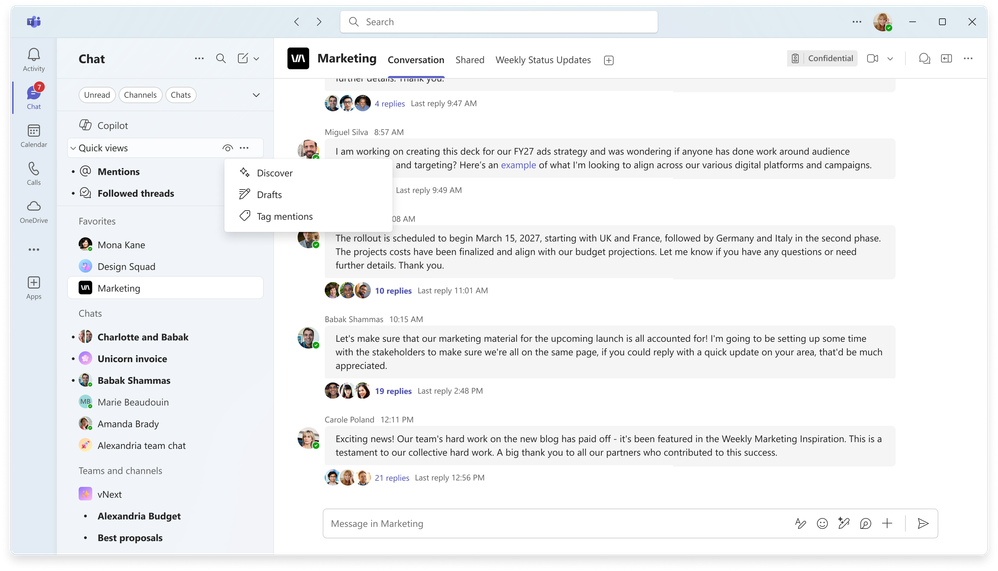
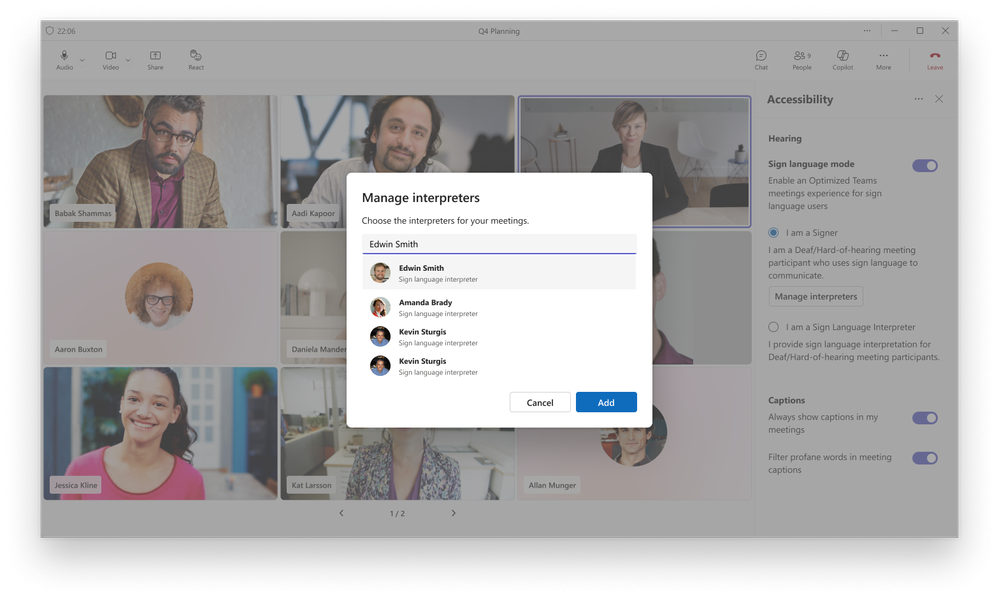
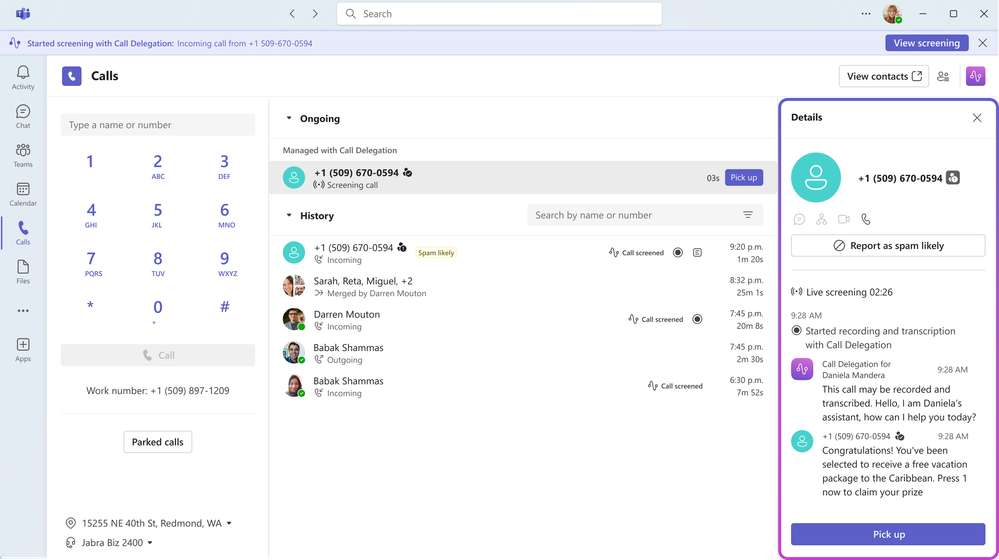
Con un poco de retraso, pero aquí van las principales novedades de Microsoft Teams durante el mes de Abril de 2026.
Novedades en Chat y Colaboración
Novedades en Reuniones

Novedades en llamadas
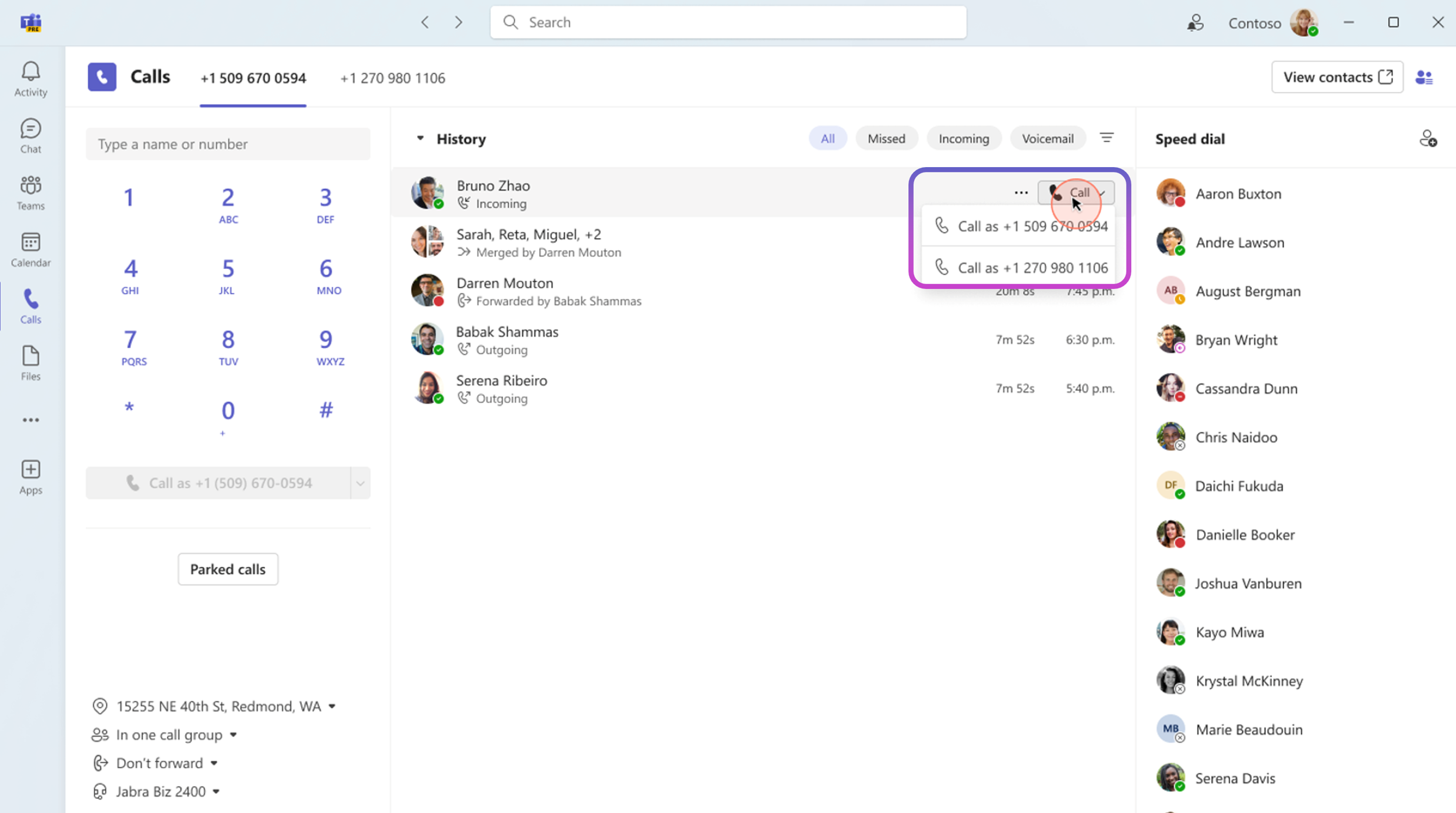
Novedades en Fundamentals y Seguridad
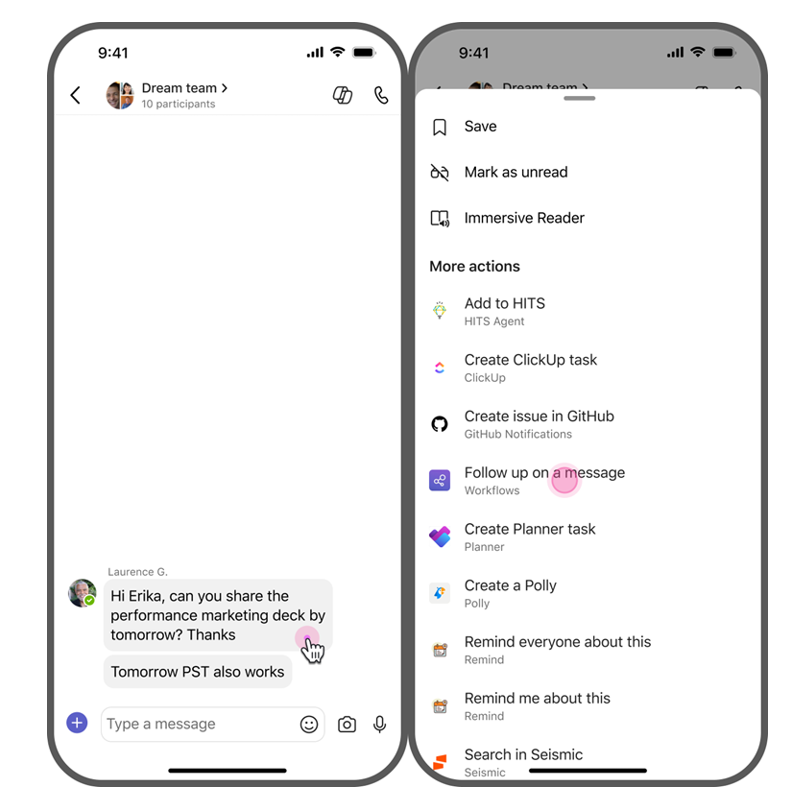
Referencia
What’s New in Microsoft Teams | April 2026 | Microsoft Community Hub
Siguiendo con la serie de artículos sobre el archivado a nivel de archivos individuales con Microsoft 365 Archive, os dejo un video demostrativo al respecto.

A Deep Dive Into What’s New, Why It Matters, and How It Improves Your Workflow
Docker Desktop for Windows continues to evolve rapidly, and one of the most impactful additions in the recent releases is the new Logs View, which became generally available in version 4.72.0. This feature significantly improves how developers and operators inspect, filter, and troubleshoot container logs — a daily task for anyone working with containers.
In this post, we’ll explore what’s new, why it’s useful, and how it changes the way you work with Docker on Windows.
The Logs View is a built‑in, GUI‑based log explorer inside Docker Desktop that allows you to:
– View logs from running or stopped containers
– Filter logs by container, service, or time
– Search within logs
– Tail logs in real time
– Inspect multi‑container logs side‑by‑side (Compose, Swarm, etc.)
While Docker has always provided logs via CLI (`docker logs`), the new Logs View brings a centralized, visual, searchable experience directly into the Desktop UI.
What’s New in the Latest Release?
General Availability (GA)
The Logs View is no longer experimental — it is now a fully supported, production‑ready feature in Docker Desktop for Windows as of 4.72.0.
This means:
– Better stability
– Improved performance
– Full support across Windows installations
– No feature flags required
Improved Windows Installation Options
Alongside the Logs View GA, Docker Desktop for Windows now offers per‑user or all‑user installation modes.
This matters because:
– Logs View behaves consistently across user profiles
– Enterprise environments can standardize deployments
– Permissions and log access become more predictable
Better Reliability and UI Behavior
Recent releases also fixed several UI issues that indirectly improve the Logs View experience, such as:
– More reliable search input behavior in the sidebar
– Improved refresh behavior
– Better handling of background processes
These improvements contribute to a smoother log‑browsing experience.
Instead of switching between terminals, containers, and log files, you now get a single pane of glass for all logs.
This is especially useful when:
– Debugging multi‑container apps
– Investigating startup failures
– Monitoring container behavior in real time
The Logs View includes:
– Keyword search
– Time‑range filtering
– Container/service filtering
This dramatically reduces the time needed to find relevant log entries.
 )
)
You can tail logs live without running `docker logs -f`.
This is ideal for:
– Watching app startup
– Monitoring background jobs
– Observing container health checks
Windows developers often prefer GUI tools.
The Logs View:
– Removes the need for CLI log commands
– Makes Docker more accessible to developers unfamiliar with Linux tooling
– Integrates naturally with the Desktop dashboard
Compose apps generate logs from multiple services.
The Logs View lets you:
– View all logs together
– Or isolate a single service
– Or compare logs side‑by‑side
This is a huge improvement over juggling multiple terminal windows.
Debugging a failing container
Instead of running:
————-
docker ps
docker logs <id>
————–
You simply click the container → Logs.
Investigating a multi‑service Compose app
You can instantly see:
– Which service started first
– Which one failed
– How logs correlate in time
Monitoring long‑running tasks
Tail logs visually while keeping your terminal free for other commands.
Onboarding new developers
New team members can inspect logs without learning Docker CLI syntax.
Final Thoughts:
The new Logs View in Docker Desktop for Windows is more than a UI enhancement — it’s a workflow upgrade.
By making logs easier to access, search, and correlate, Docker has significantly improved the day‑to‑day debugging experience for Windows developers and DevOps engineers.
With it’s general availability in 4.72.0, the feature is now stable, polished, and ready for production use.
If you rely on Docker Desktop for development or operations, the new Logs View is absolutely worth exploring 

Pues tras la llegada de GPT 5.5 Think Deeper a Microsoft 365 Copilot, ya tenemos también disponible la versión de respuesta rápida (GPT 5.5 Instant) construido sobre GPT 5.3 Instant que proporciona respuestas rápidas y precisas de forma rápida y que además gestiona mejor preguntas complejas, tiene un mejor rendimiento en el procesado de imágenes y tareas de tipo STEM.

Siguiendo con la serie de artículos sobre la nueva columna “Paso rápido” en SharePoint os dejo el correspondiente video demostrativo.
En esta ocasión os dejo un video sobre como configurar el conector de Azure DevOps para Microsoft 365 Copilot de forma que Copilot tiene acceso y contexto de Workitems de DevOps como: user stories, tasks, bugs, y features .
Following the arrival of GPT‑5.5 Think Deeper in Microsoft 365 Copilot, we now also have the fast‑response version available (GPT‑5.5 Instant), built on GPT‑5.3 Instant. It delivers fast and accurate responses, handles complex questions more effectively, and offers improved performance in image processing and STEM‑related tasks.
Con Agent 365 disponible de forma general, empezamos a asistir a la llegada de nuevas funcionalidades relacionadas con Agent 365 o bien disponibles con tal de cumplir ciertos requerimientos a nivel de licenciamiento. Este es el caso de Shadow AI que nos permite detectar situaciones de Shadow AI en dispositivos administrador por Intune.
Shadow AI está disponible en una organización si se cumplen dos condiciones:
Con estos prerrequisitos cumplidos, veremos una nueva sección Shadow AI dentro de Agents:


A partir de aquí, simplemente toca esperar y revisar que todo esté configurado como se indica en este artículo de Microsoft Learn: Understand Shadow AI in Microsoft 365 admin center – Microsoft 365 admin | Microsoft Learn
The latest OpenAI language models arrive in Microsoft 365 Copilot:

Bringing Reliability to the Edge: Azure SRE Agent Meets Windows Server 2025 with Arc for Adaptive Cloud
The next wave of hybrid cloud operations is no longer about simply connecting servers to Azure—it’s about giving every workload, wherever it runs, the same intelligent operational experience as native cloud services. With Windows Server 2025, Azure Arc, and the new Microsoft Azure SRE Agent, Microsoft is closing the gap between cloud and datacenter in a way that finally feels unified.
This post explores how these technologies fit together and why they matter for modern SRE, operations, and hybrid cloud engineering.
Why Azure SRE Agent Changes the Game
Azure SRE Agent is Microsoft’s new operational automation platform designed to reduce toil, accelerate incident response, and build institutional knowledge over time. It’s not just a bot—it’s an AI‑driven operational brain that learns your environment and executes tasks across Azure and hybrid systems.
What makes SRE Agent unique is its learning loop. Every incident, every triage, every fix becomes part of a persistent knowledge base that never leaves your environment. New engineers ramp faster, and on‑call becomes more consistent and predictable.
Windows Server 2025: Built for Adaptive Cloud
Windows Server 2025 is the most cloud‑aligned release of Windows Server to date. It brings:
But the real magic happens when you connect Windows Server 2025 to Azure Arc and layer the SRE Agent on top.
Azure Arc: The Bridge to Adaptive Cloud
Azure Arc turns any server—physical, virtual, on‑premises, or multi‑cloud—into a first‑class Azure resource. For Windows Server 2025, Arc is not an add‑on; it’s the operational backbone.
With Arc, you get:
This is where the SRE Agent fits perfectly.
How Azure SRE Agent Complements Arc‑Enabled Windows Server 2025
Arc brings Windows Server 2025 into Azure Monitor and Log Analytics.
SRE Agent then uses those signals to:
Because SRE Agent integrates natively with Azure Monitor alerts, Application Insights, and Log Analytics, it becomes the automation layer on top of Arc’s observability foundation.
SRE Agent supports:
This means you can automate:
All triggered by alerts, schedules, or incidents.
Every investigation teaches the agent something new:
This knowledge persists across conversations and across your hybrid estate.
For organizations with large Windows Server fleets, this is transformative.
Adaptive Cloud is about making on‑prem feel like Azure.
With Arc + SRE Agent:
Windows Server 2025 becomes a true extension of Azure—not just connected, but operationally unified.
A Practical Example: Automated Incident Response on Windows Server 2025
Imagine a Windows Server 2025 VM running on‑prem, Arc‑enabled, and monitored by Azure Monitor.
This is not theoretical—this is exactly what SRE Agent is designed to do.
Why This Matters for SRE and Ops Teams
Less Toil, More Engineering
SRE Agent automates the repetitive work that burns out on‑call engineers.
Faster MTTR
Automated triage and mitigation reduce downtime dramatically.
Better On‑Call Experience
New engineers inherit the agent’s knowledge from day one.
Consistent Hybrid Operations
Arc + SRE Agent gives you a single operational model across cloud and datacenter.
Future‑Proofing
Windows Server 2025 is built for Adaptive Cloud, and SRE Agent is the automation engine that makes it real.
Conclusion: The Future of Hybrid Reliability Engineering
The combination of:
creates a hybrid environment where operational excellence is built‑in, not bolted on.
SRE Agent brings intelligence and automation.
Arc brings governance and observability.
Windows Server 2025 brings a modern, cloud‑aligned OS.
Together, they deliver the most complete Adaptive Cloud experience Microsoft has ever offered.
If you’re building a hybrid environment that needs reliability, automation, and consistency, this trio should be at the top of your roadmap.
Important Note: Always test first this configuration in a test environment before you go into production.
Here you find more information about Azure SRE Agent to get Started
Below is a practical, engineering‑focused workflow you can use in production.
Before deploying SRE Agent, ensure:
 Windows Server 2025 is Arc‑enabled
Your server must appear as a connected machine in Azure Arc.
Azure Monitor Agent (AMA) is installed
SRE Agent relies on metrics, logs, and alerts from Azure Monitor to drive investigations and automations.
Log Analytics workspace is configured
This is where SRE Agent queries logs and correlates signals during root cause analysis.
You have permissions
You need:

In Azure Portal:


This creates the operational brain that will manage your hybrid servers.
SRE Agent works across any Azure resource accessible via ARM, Azure CLI, or REST APIs
For Arc‑enabled servers, this means:
Option A — Use the SRE Agent Portal
Option B — Use Azure CLI
az sre agent resource add \
This registers the server so SRE Agent can query logs, metrics, and run automations.
You can “enhance your agent with runbooks, architecture docs, and domain‑specific custom agents”
For Windows Server 2025, common runbooks include:
Upload these into the SRE Agent portal under Automation.
SRE Agent delivers “autonomous incident response” by reacting to Azure Monitor alerts
For Arc‑enabled servers:
Now SRE Agent will automatically:
SRE Agent can run scheduled tasks for routine operations
For Windows Server 2025, useful schedules include:
These tasks run across Arc‑enabled servers without needing Azure Automation or DSC.
SRE Agent improves over time:
This is especially powerful in hybrid environments where operational knowledge is often tribal and undocumented.
What You Gain After Deployment
Once SRE Agent is fully connected to your Arc‑enabled Windows Server 2025 fleet, you get:
Triggered by Azure Monitor alerts, SRE Agent performs triage, root cause analysis, and remediation.
It queries logs, metrics, traces, and deployment history simultaneously to identify issues faster
Built‑in connectors plus MCP integrations for Slack, Jira, Datadog, and internal APIs
Every investigation is stored as persistent operational knowledge for your team
Arc + SRE Agent gives you a consistent operational model across cloud and datacenter.
Conclusion
Deploying Azure SRE Agent on Arc‑enabled Windows Server 2025 is one of the most impactful steps you can take toward a true Adaptive Cloud environment. You get:

This is the future of hybrid SRE — and it’s available today!
With Agent 365 now generally available, we are beginning to see the arrival of new capabilities related to Agent 365, or features that are made available subject to meeting certain licensing requirements. This is the case with Shadow AI, which allows us to detect Shadow AI scenarios on devices managed by Intune.
Shadow AI is available in an organization if two conditions are met:
Once these prerequisites are met, a new Shadow AI section will appear under Agents.
From this point on, it is simply a matter of waiting and verifying that everything is configured as described in this Microsoft Learn article: Understand Shadow AI in Microsoft 365 admin center – Microsoft 365 admin | Microsoft Learn
Every month I use to share all the interesting links and resources I have found about Microsoft 365, Microsoft Teams and SharePoint platforms during the previous month.

SharePoint
Estrenamos nuevo mes y toca compartir con todos vosotros la 73ª Edición del recopilatorio de enlace interesantes sobre Microsoft 365. Espero que os sea de utilidad.

A new month is already here and also a new update for the Office 365 For IT Pros has been released. As always, you can find all the updates we have added in our Web Site:
Office 365 for IT Pros May 2026 Update
Office 365 evolves continuously adding new features and functionalities, what makes the writing team busy month by month to include all this new stuff.

Estrenamos nuevo mes y como viene siendo habitual, llega cargado de novedades en el mundo Microsoft 365 Copilot. Vamos a repasar las principales que como siempre están divididas en novedades para el usuario final y en novedades a nivel de control y gobierno.
Novedades para Usuarios Finales
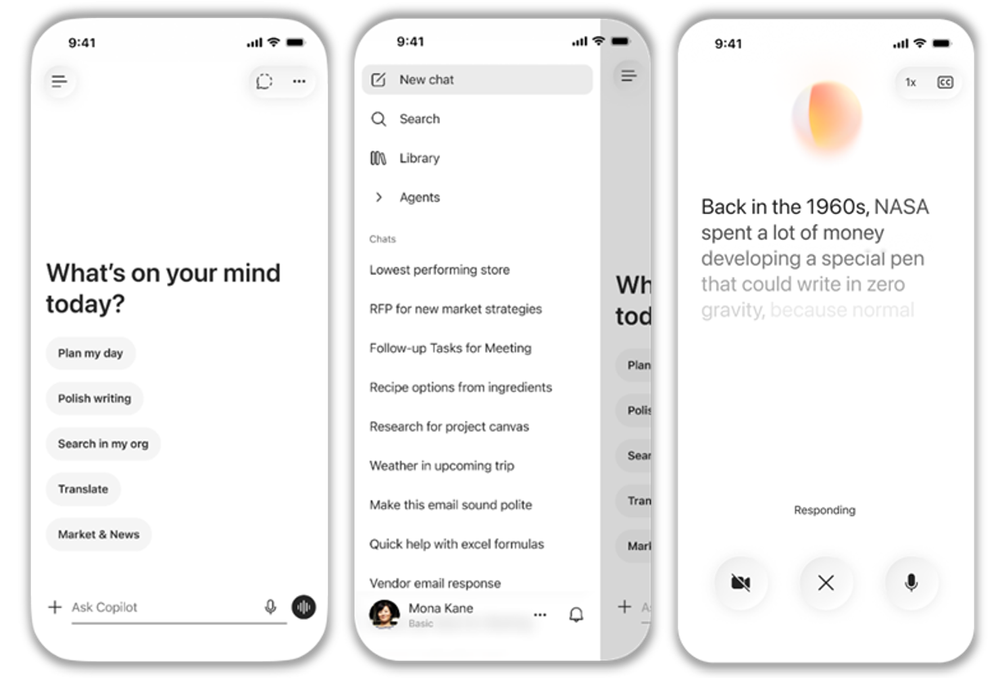
Actualización de la App móvil para proporcionar una experiencia de usuario más intuitiva y orientada a chat en la que podemos aplicar formato a los prompts, acceder facilmente al historial de chat, etc. Llegará en mayo
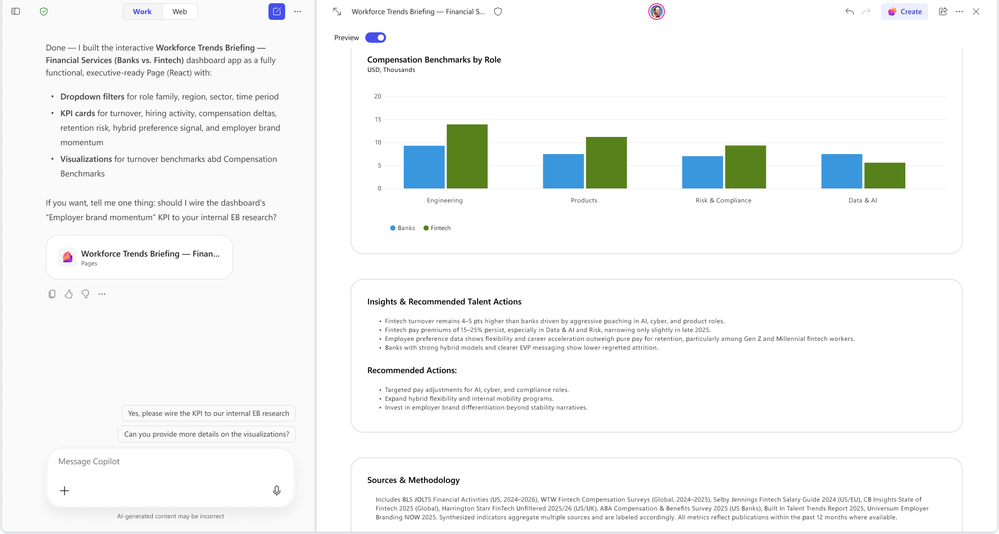
La previsualización de gráficos, dashboards y aplicaciones en Copilot Pages incorpora el uso de datos de Work IQ para su generación. Disponible desde abril
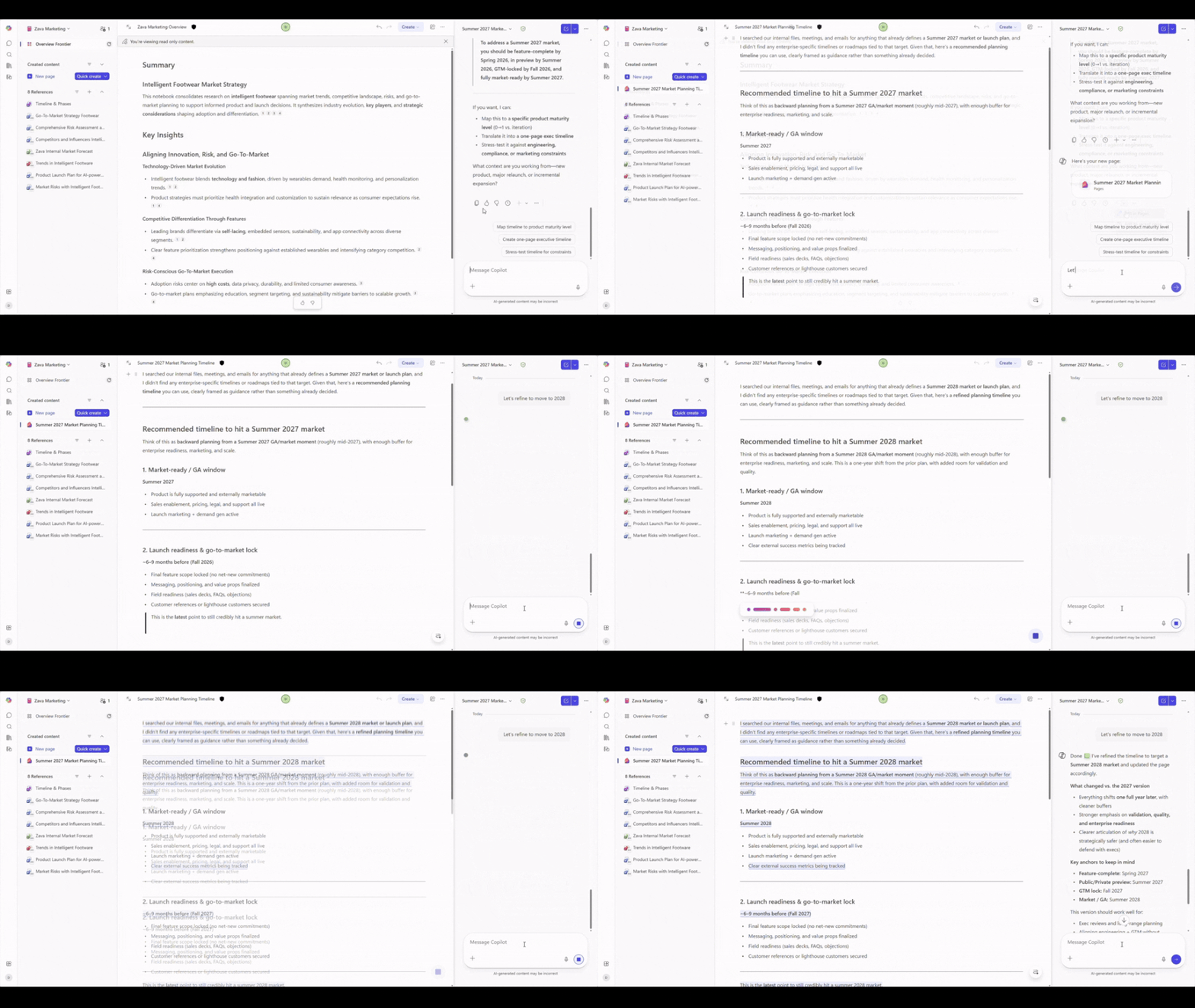
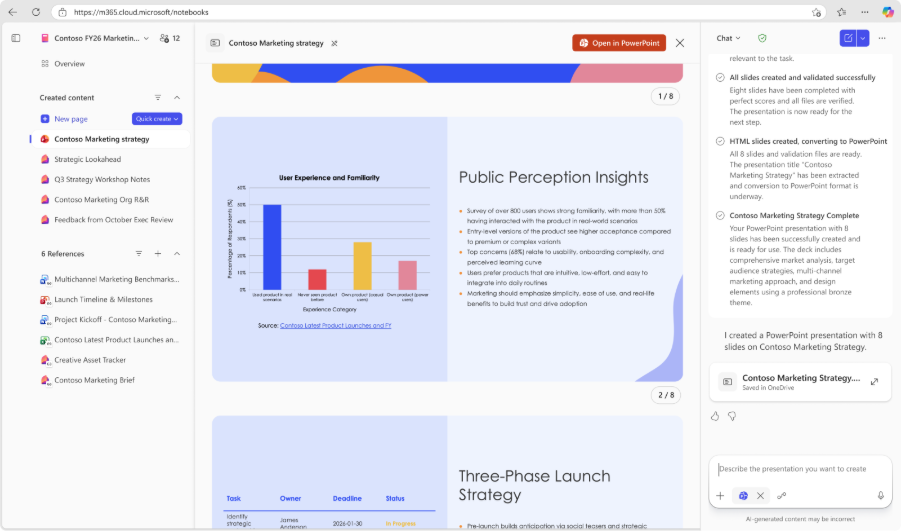
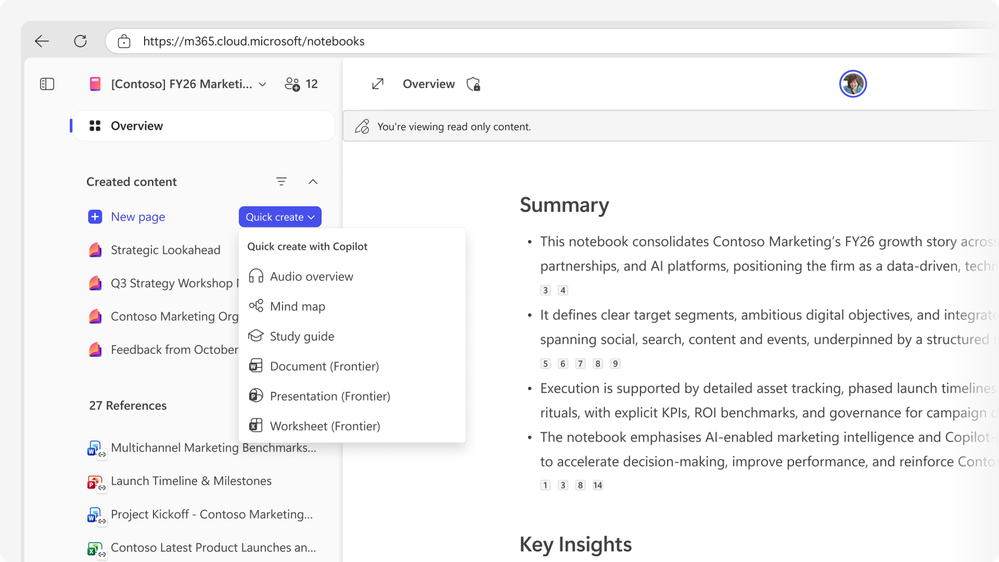
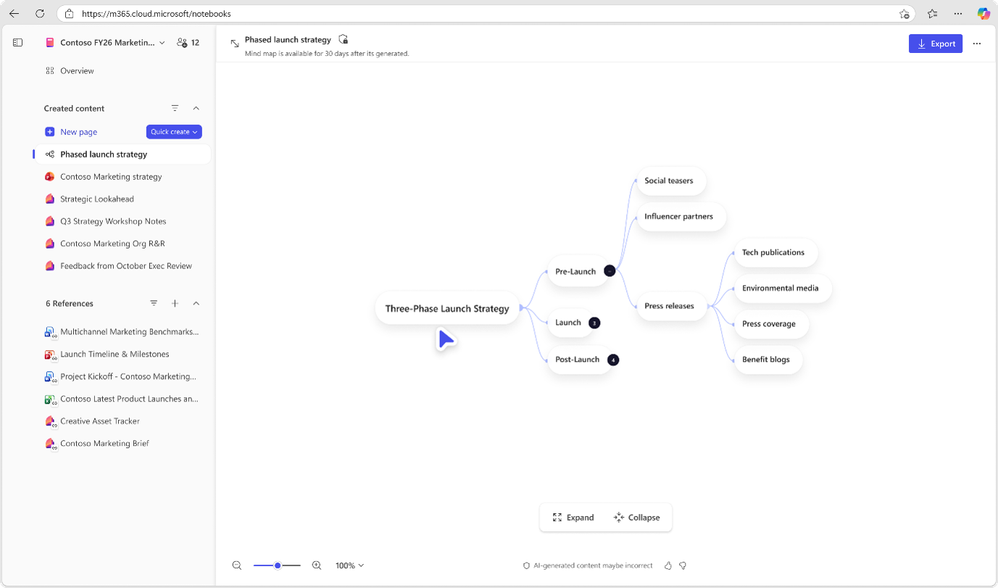
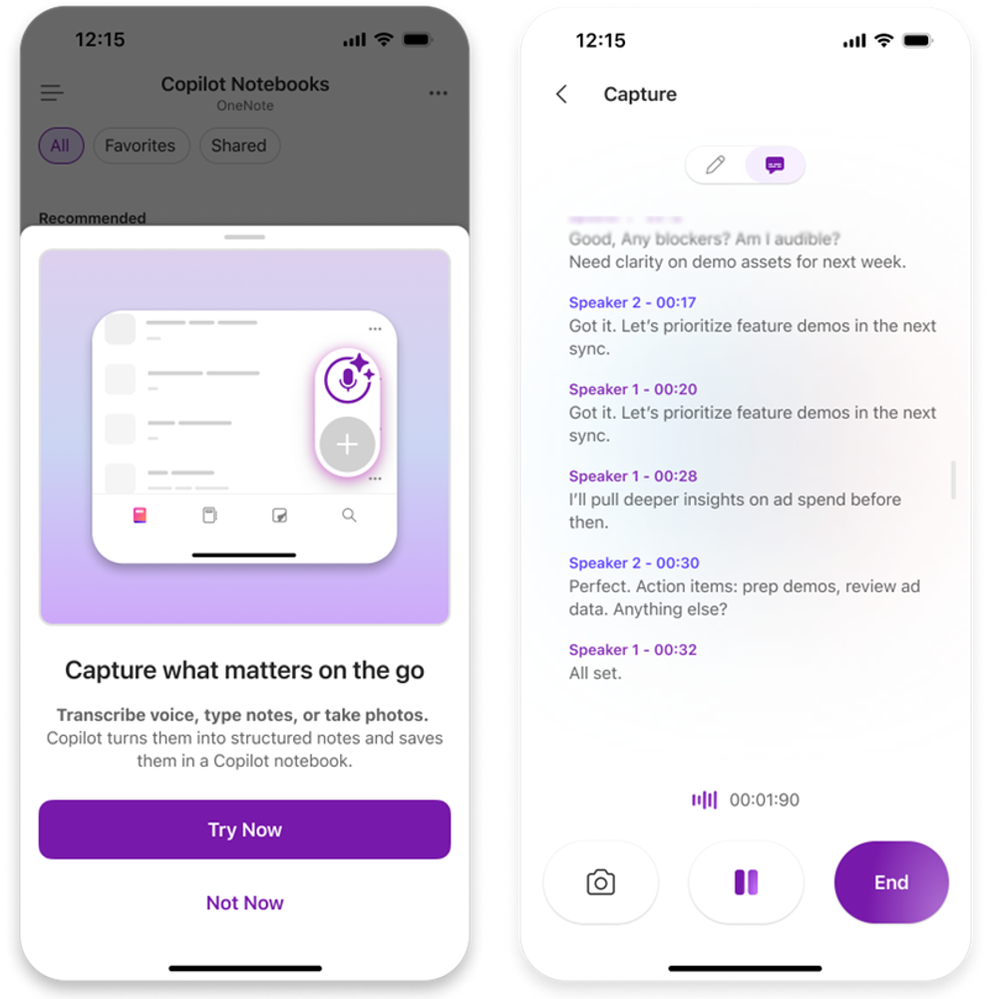
Un montón de actualizaciones en Copilot Notebooks:
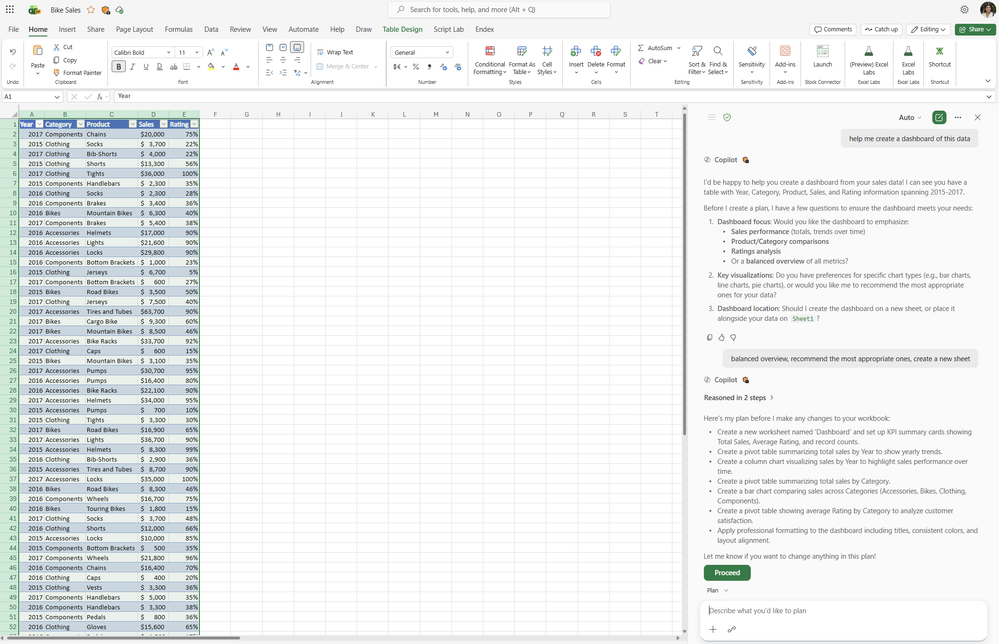
Modo Plan y Soporte de Phyton en Excel:
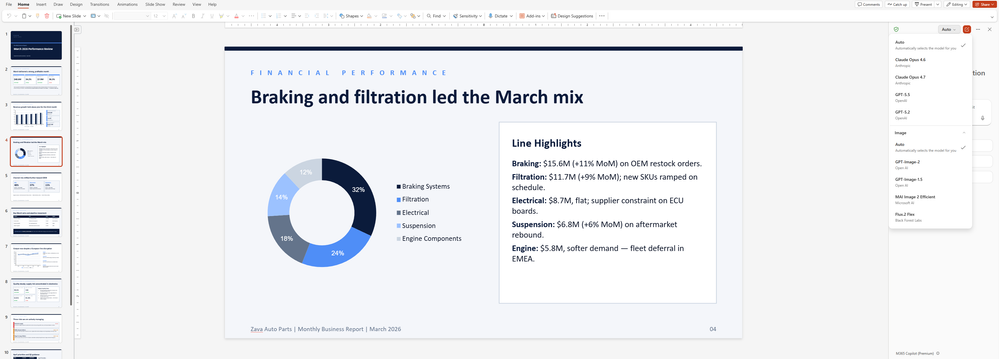
Más opciones para la edición de imágenes en PowerPoint + Grounding de Sitios Web Públicos:
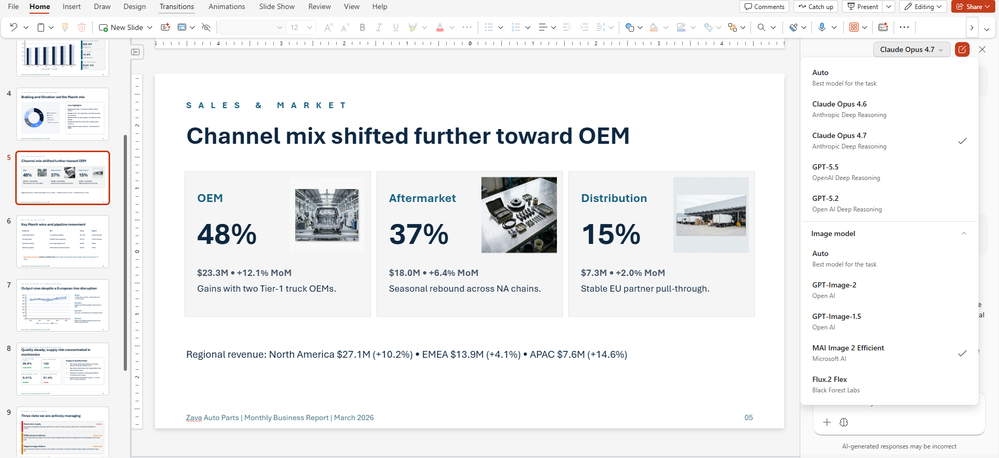
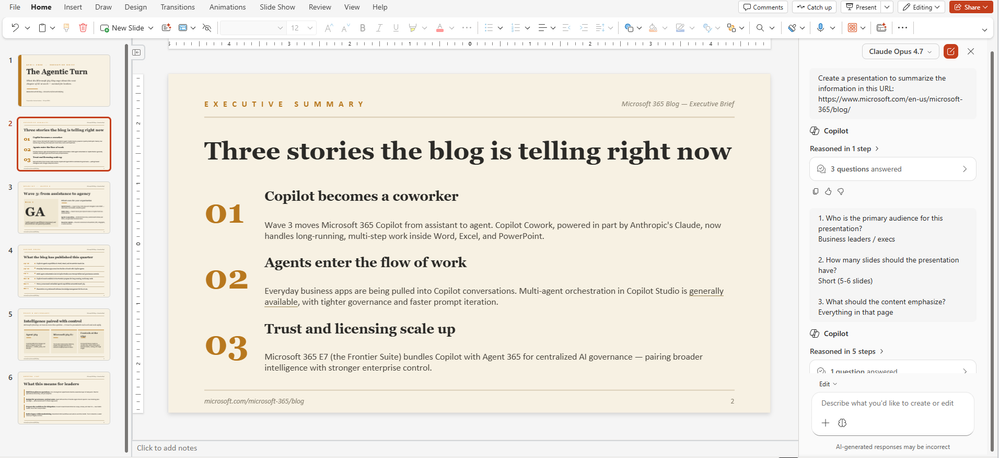
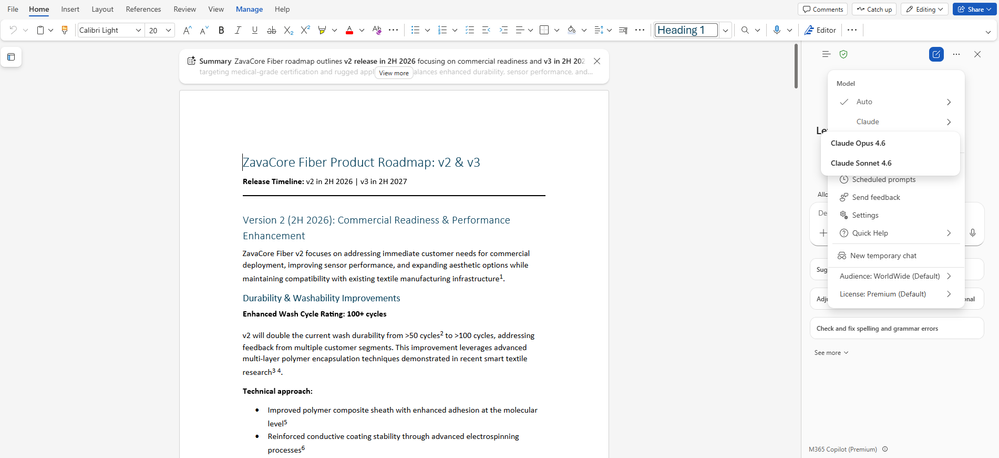
Los Modelos Clause de Anthropic llegan también a Word. Disponible desde Abril.
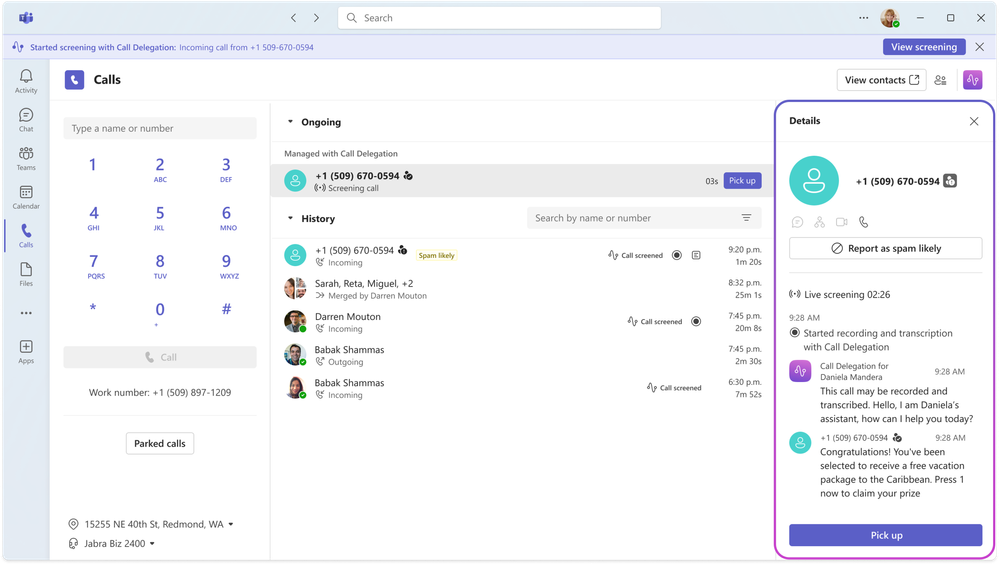
Delegación de llamadas e interpretación consecutiva en Teams
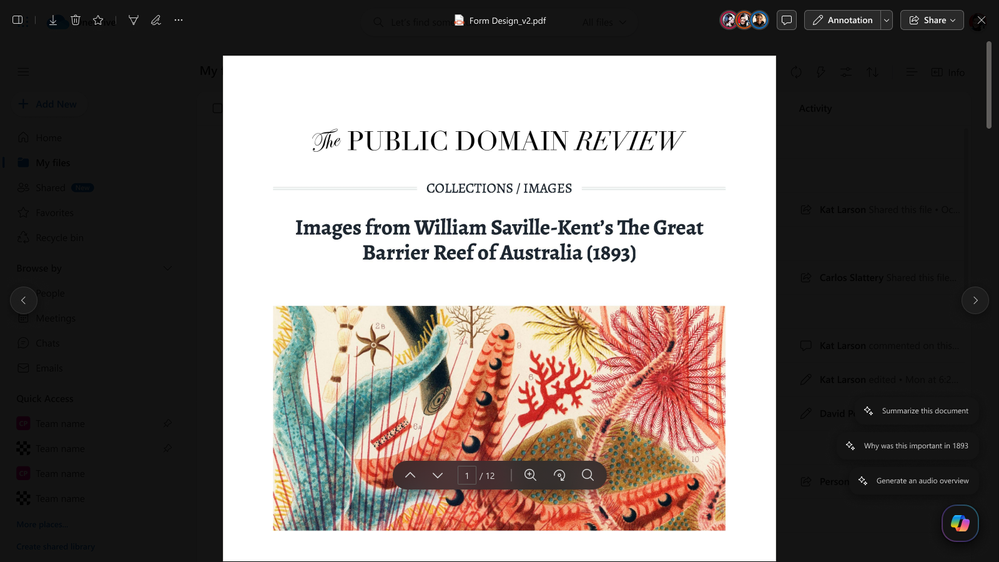
Prompts listos para usar en OneDrive: Realmente se trata de la disponibilidad del botón de Copilot en el archivo que hemos abierto ya sea en OneDrive o en SharePoint que ya nos viene con una serie de prompts específicos para el documento en cuestión.
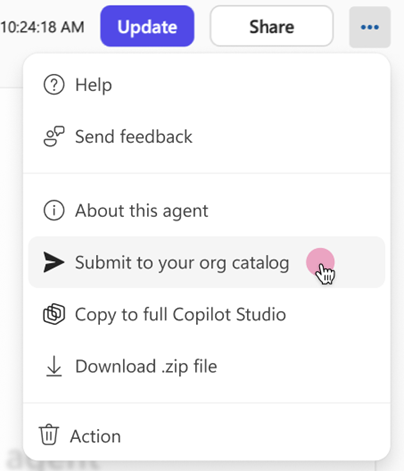
Enviar Agentes a la tienda de Agentes corporativa desde el Agent Builder:
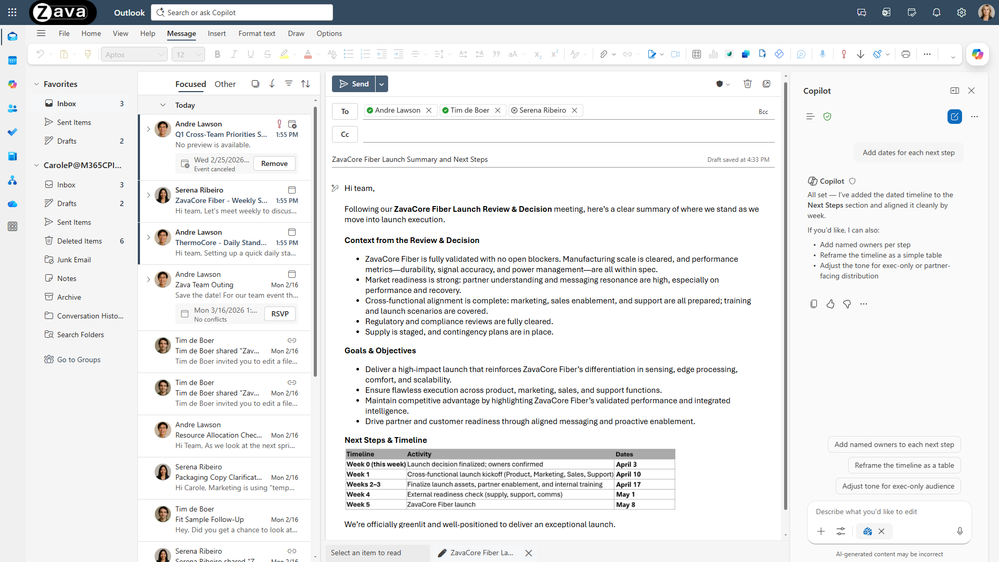
Generación de propuesta de Draft por Copilot en Outlook que se puede ir refinando de forma interactiva. Disponible desde marzo.
Novedades a nivel de Control y Gobierno
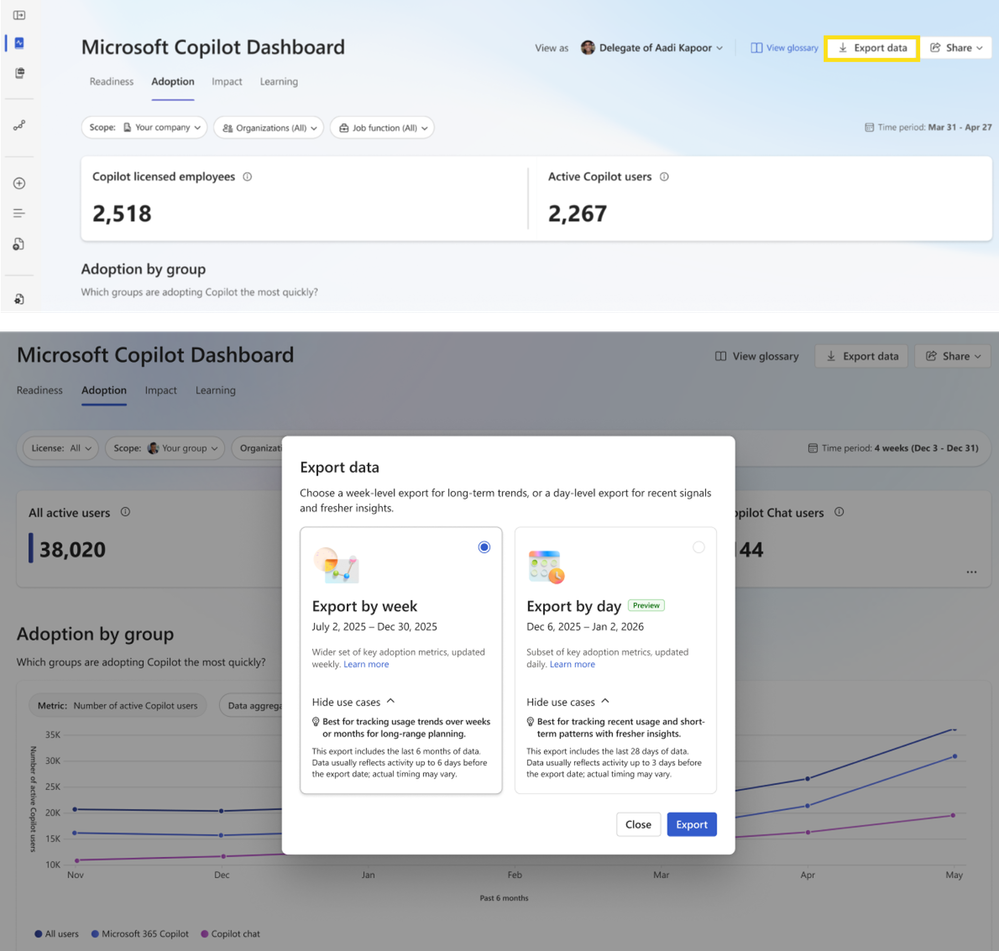
Exportar por día en el Copilot Dashboard para ir revisando datos recientes de la adopción e impacto de Copilot en la organización y facilitar la toma de decisiones por ejemplo en la asignación de licencias. A tener en cuenta que solo tenemos datos de los 28 días previos y que esta nueva funcionalidad está en Public Preview desde abril con vistas a tener disponibilidad general en agosto de 2026.
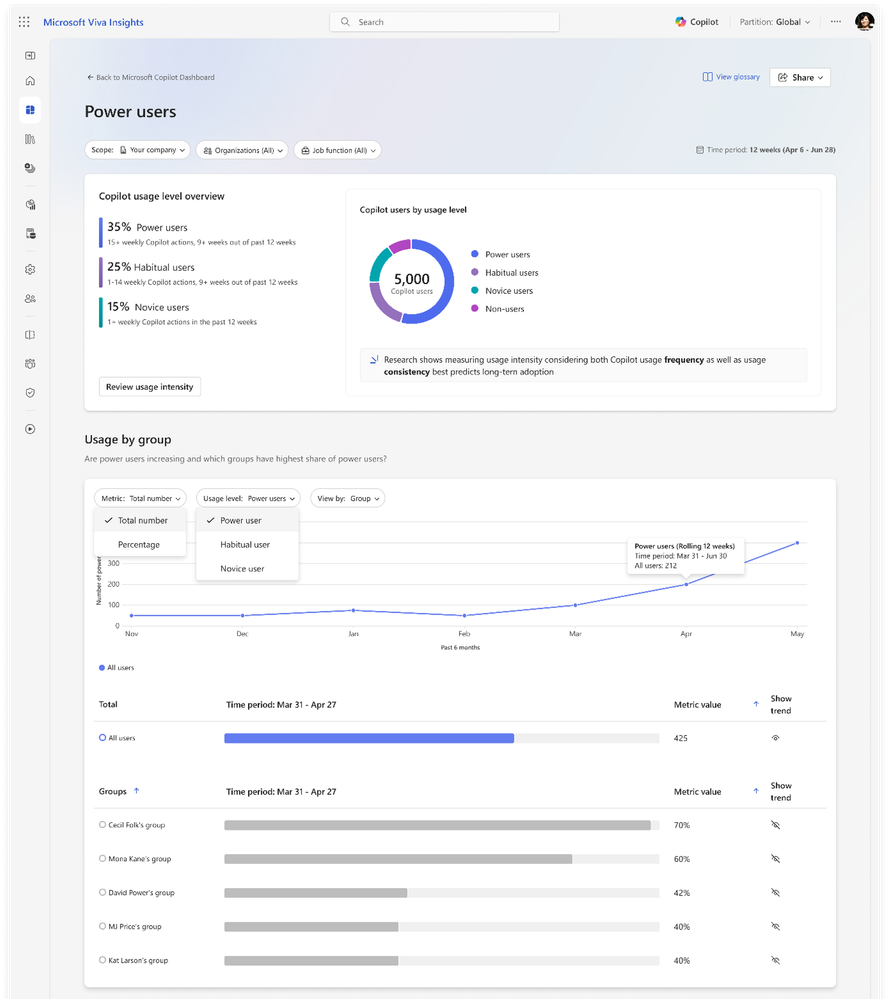
Power Users Insights para identificar los usuarios con más engagement en Microsoft 365 Copilot. Además, se clasifican los usuarios por niveles en función del uso de Copilot. Llegará durante el mes de mayo.
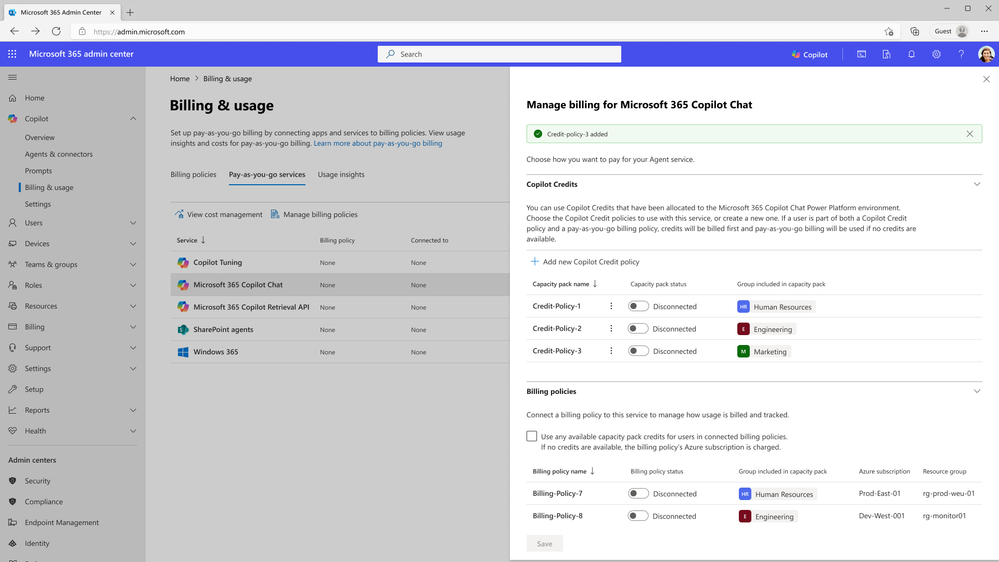
Se añade la opción de packs prepago en el Admin Center de Microsoft 365 como alternativa para escenarios de pago por uso. Disponible desde abril.
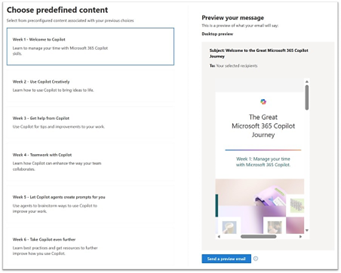
Uso del e-mail para realizar comunicaciones relativas a la adopción de Copilot así como la posibilidad de realizar segmentaciones en el envío de e-mails.
Referencia
What’s New in Microsoft 365 Copilot | April 2026 | Microsoft Community Hub
Nuevo mes y nueva actualización del libro de referencia de Office 365 en la que hemos estado trabajando el equipo de autores durante el mes pasado. Los detalles de las actualizaciones realizadas los podéis encontrar en nuestro Sitio Web:
Office 365 for IT Pros May 2026 Update
Office 365 evoluciona de forma constante y por este motivo, nuestro libro evoluciona de forma constante e incorpora los detalles de las nuevas características liberadas por Microsoft.
Los últimos modelos de lenguaje de Open AI llegan a Microsoft 365 Copilot:
Referencia: Available today: GPT-5.5 Thinking and ChatGPT Images 2.0 in Microsoft 365 Copilot | Microsoft Community Hub
Tras el post sobre las novedades en Microsoft Teams de Marzo de 2026, os dejo el video correspondiente.

 Información: